
This week’s winner of “Terrible Technical Emails” is Google.
Why? Well, see for yourself.
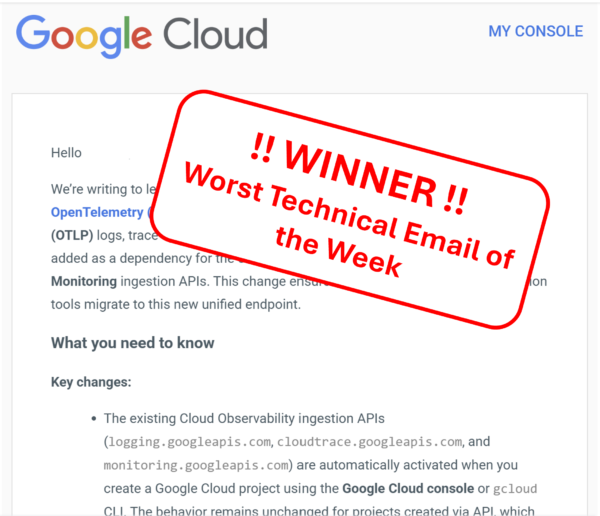
The message announced an update and here’s how it started:
“Cloud Observability has launched a new OpenTelemetry ingestion API that supports native OTLP logs, trace spans, and metrics. Starting March 4, 2026, this API will be added as a dependency for the current Cloud Logging, Cloud Trace, and Cloud Monitoring ingestion APIs.”
If you’re technical, that might make sense.
I am not a software expert and upon reading the first sentence my first thought was: “Uuuurgh, does this mean I have to update my sites?”
Followed by “Is something about to break?”
It probably wasn’t intended to make me feel that way. But that’s what happened.
Unnecessary Anxiety
The interesting thing? Buried further down the email was the most important information:
“𝗡𝗼 𝗮𝗰𝘁𝗶𝗼𝗻 𝗶𝘀 𝗿𝗲𝗾𝘂𝗶𝗿𝗲𝗱. 𝗧𝗵𝗲𝗿𝗲 𝘄𝗶𝗹𝗹 𝗯𝗲 𝗻𝗼 𝗱𝗶𝘀𝗿𝘂𝗽𝘁𝗶𝗼𝗻.”
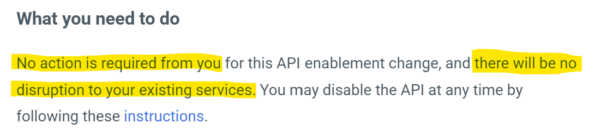
That’s the part most people actually care about. (I know I did!)
But it came after the technical explanation.
And that order matters.
When people hear “new endpoint,” “dependency,” “automatic activation,” their brain doesn’t calmly process architecture diagrams. It goes straight to:
- Is this going to cause me work?
- Is something changing that I didn’t plan for?
- Am I about to get blamed for something?
I see this all the time in technical teams.
Smart people. Clear thinkers. Good intentions.
But they explain 𝘩𝘰𝘸 something works before they explain 𝘸𝘩𝘺 𝘪𝘵 𝘮𝘢𝘵𝘵𝘦𝘳𝘴 (or whether it matters at all).
And the result isn’t confusion — it’s unnecessary anxiety.
How to make this a less terrible technical email?
No one would have worried if the email had started with: “We’re upgrading how monitoring data is handled. You don’t need to do anything, and your systems will keep working as normal.”
Only after a clear intro like that should you add the detail.
I’m increasingly convinced that clarity isn’t about simplifying content.
It’s about sequencing the message in the right way.
Reassure first. Explain second. Detail third.
Same information, but very different experience.
_____________________________________
Thank you to Jensen C. for sharing this example with me.
If you have an example of a confusing “technical update” email you’ve received recently, please share it with me!